
Any File, Any Size, Any Team, Anywhere – Seriously Fast




.svg)
.svg)


How to Send Large Files with MASV
Step 1: Upload Your Files
Drag and drop file packages or folders of any size. The relentlessly reliable MASV Admin Console works in any modern browser and maintains complex folder structures.
Bonus: Your collaborators don't need a login to send you large files using a MASV Portal.
Step 2: Add Recipients
Step 3: Send
Hit send and MASV's global accelerated network delivers data at maximum speed and reliability. Recipients get an email with a secure download link, and collaborators don't need an account to download.
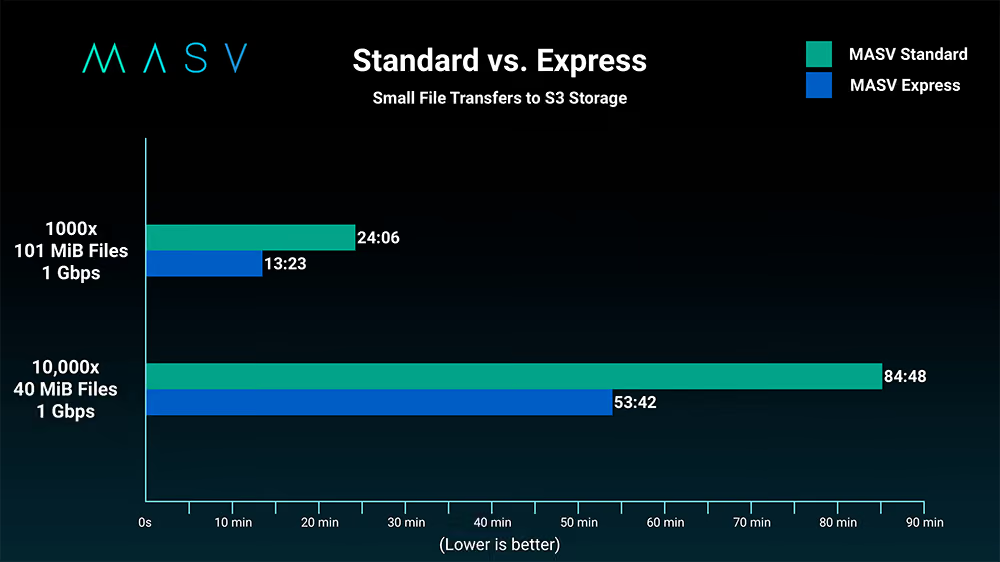
MASV Express
All the advantages of MASV, plus near real-time delivery to Amazon S3.
For customers with big data demands, where every moment counts – breaking news, sports, emergencies, or any critical deadline – there is MASV Express.
- Faster delivery of uploaded files and packages of any size.
- MASV delivers content while the rest of the package is still uploading, accelerating transfer turnaround times and ingest.
Why Choose MASV to Send Large Files

No Limits on Package Sizes

Accelerated Global Network

Enterprise-Grade Security

Flexible Pricing & No Per-Seat Fees

Works Everywhere

Delivery Tracking & Notifications
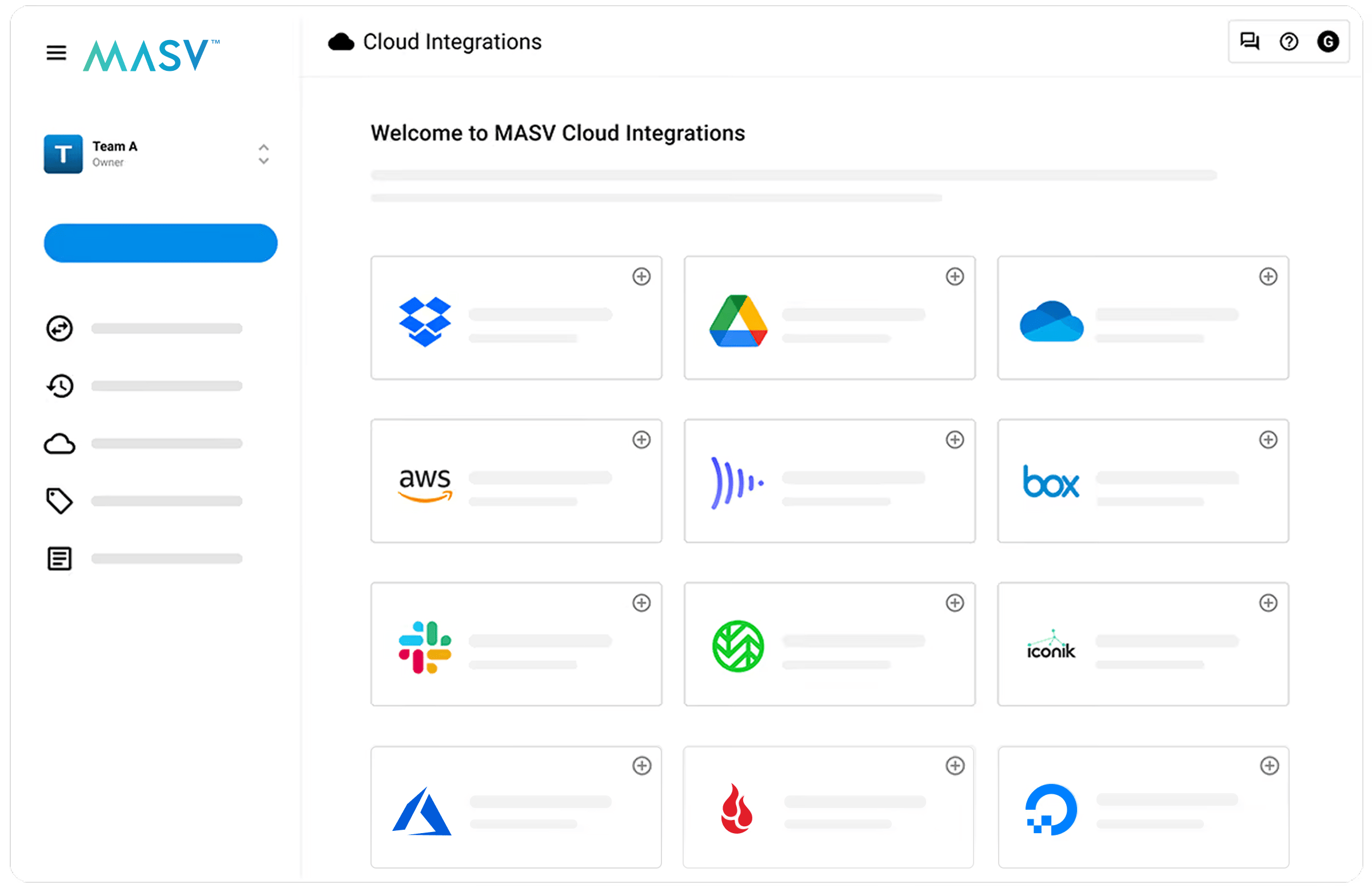
Send Large Files and Datasets the Way You Want

Send Large Files by Email

Share via Secure Link

Send to Google Drive

Send to Dropbox

Send to Microsoft OneDrive & SharePoint
MASV Studio

API & Automation

MASV Portals
How MASV Compares
Looking for a detailed comparison? See how MASV compares to Signiant, FTP, WeTransfer, and other file transfer services. Check detailed comparison.
Why Customers Love MASV




Trusted Across Industries

Video Production & Post-Production

Broadcast & News

Creative Agencies
Frequently Asked Questions
The MASV pay-as-you-go pricing tier gives you 15 GB monthly for free (credit card required). Upload your files through MASV Admin Console or MASV Studio, enter the recipient's email, and send. MASV offers pay-as-you-go pricing starting at $0.25/GB with no commitment, pre-purchases, or subscription plans for teams that send large files regularly. Other free options include email (limited to 25MB), Google Drive (limited to 750GB uploads per day), and Dropbox (limited to 350GB per upload in the browser), but these have significant size restrictions and slower transfer speeds.
Email attachments are typically limited to 25MB (Gmail) to 150MB (Outlook, although this depends on account type and IT configurations). To send larger files you can use a dedicated file transfer service like MASV. Simply upload your file, and MASV sends the recipient a secure download link via email. The recipient clicks the link and downloads directly without requiring plugins or accounts to receive. For files in the 25MB to 1GB range, you can also use cloud sync/storage links (such as Google Drive or Dropbox), but for anything larger, a purpose-built transfer tool is significantly faster and more reliable.
Transferring 100GB for free is difficult with most services. Free tiers typically cap at 2 to 5GB. MASV’s pay-as-you-go option provides 15GB per month for free, and after that you can transfer 100GB for $25 on pay-as-you-go pricing, with accelerated speeds that deliver 100GB in minutes rather than hours. If you need a fully free option, Google Drive offers 15GB of free storage (not enough for 100GB). Some services offer temporary free tiers, but with significant speed limitations. For reliable, fast 100GB transfers, a professional tool like MASV is the most practical and hassle-free option.
For professional large file transfers (such as those in media production or other industries that regularly move large datasets), you need a service that offers speed, security, reliability, and transparent tracking. MASV is built for professional workflows with accelerated transfers optimized to handle 10 Gbps+ connections; TPN verification, ISO certification, and SOC 2 compliance; delivery tracking and audit trails; branded upload portals for client-facing transfers; and no-code integrations with tools like Google Drive, Dropbox, Microsoft 365, and Amazon S3. Upload your files, enter the recipients, and send. The recipients get a branded email with a secure download link.
Absolutely – because automated workflows eliminate the possibility of ingesting to the wrong location, you could say they're even more secure than manual transfers. Every automated transfer processed through MASV is protected by our enterprise-grade security framework. Data is encrypted in transit (TLS 1.2+) and at rest (AES-256). All automations operate under our globally recognized compliance standards, including the Trusted Partner Network (TPN), SOC 2 Type II, and ISO 27001:2022.
MASV supports unlimited file package sizes. Unlike email (25 to 150MB limit), free file sharing tools (2 to 5GB), or even cloud storage (which can be slow and unreliable for very large files), MASV is specifically engineered for massive file transfers, including multi-gigabyte video files, RAW image sequences, CAD files, geospatial datasets, and more.
No. Recipients receive an email with a secure download link. They click the link and download directly in their browser without needing an account or any software installation. While you will need a MASV account to send files to recipients, it’s also possible for your recipients to send you files without needing a MASV account via MASV Portals.



