Automated File Transfer – Work Smarter, Not Harder

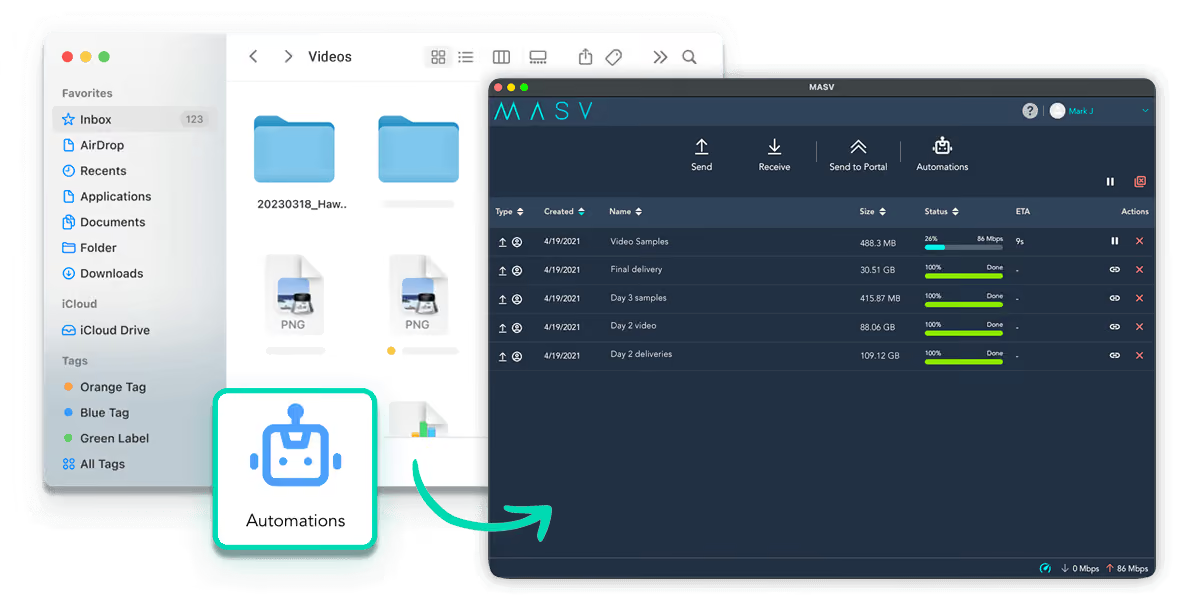
Create MASV Watch Folders or use the API or Agent to send, receive, and store large files or file batches using automations you can trust, without coding.
Rated 4.8/5 on G2
SOC 2 Type II
ISO 27001:2022
TPN verified
Trusted By the Best
Spotify Logo

Save Time

Check “send files” off your to-do list indefinitely. Automate file transfers to predetermined recipients or a destination of your choosing.

Avoid Mistakes

Humans. We’re not perfect. Set up automated workflows and avoid the mistakes that arise from repeated manual transfers.

Set and Forget

Configure your MASV workflow once and let it cook without worrying about automations breaking in the middle of the night.
It's time to upgrade

Manual File Transfer is Holding You Back

Moving Files Manually is a Time Suck

To keep projects moving you need to send, receive, and store large files and datasets between your clients and colleagues. Doing this takes time because:

  1. Large media files and datasets are susceptible to slowdowns and errors.
  2. Manually initiating and monitoring a file transfer distracts you from more important tasks you could be doing.

Manual file transfers also create several problems because they happen haphazardly, cause delays and security risks, and can lead to data loss and missed deadlines.

MASV — An Accelerated and Automated File Transfer Platform

Save time and boost efficiency with MASV, a revolutionary file sharing app that combines cloud-based file acceleration with automation inside a secure environment for fast media delivery you can depend on.

MASV offers several types of file transfer automation:
Watch Folders
A MASV Watch Folder is a folder on your computer that automatically triggers a specific task when you put a new file or folder in it. Watch Folders can automatically upload or download files to specific destinations.
API
The MASV API is a RESTful interface designed for developers to add automated and secure transfers to custom workflows or software.
Agent
MASV Agent is a cross-platform, headless software service (for Windows, macOS, Linux, and Docker) designed to automate high-speed file transfers to or from your desktop or server.
File Portal
A MASV Portal is a sharable, customizable way to collect files from anyone, even if they don’t have a MASV account. Portals can be combined with Watch Folders, the API, or Agent for automated, set-and-forget transfer workflows.

Core Automation Features

Automate your workflow using MASV Portals, Watch Folders, the API, or Agent in the following ways:

Send to Recipients

Assign a Watch Folder on your computer to upload files and folders to predetermined email addresses.

Send to a Portal

Set up a Watch Folder to upload to a MASV Portal. If that Portal has an integration set up, any file it receives automatically transfers to those services.

Receive From a Portal

Set a Watch Folder to auto-download files uploaded to a MASV Portal. MASV can even download files from a date prior to the creation of your automated workflow.

Growing Files

With Growing Files, you can set up a Watch Folder to automatically start transferring in-progress media files from a live camera feed.

Benefits of Automated File Transfer

Crush your deadlines and start saving time and money with MASV’s no-code automation tools, and see how they can help you achieve:

Improved Reliability

Eliminate delays through instant handoffs, fewer hands on sensitive IP, automated uploads or downloads, auto-completion of interrupted transfers, and auditable tchain-of-custody logs.

Better Performance

An automated workflow that starts uploading or downloading files as soon as they’re available allows for minimal human intervention, leading to significant time (and cost) savings.

Broader Scalability

Automated data transfer can more easily scale up and down to meet fluctuations in data volumes, without deteriorated performance, reliability issues, or extra hours from your team.

Magnified Productivity

Teams can be more productive through compounding efficiencies day after day. MASV automations can be set up in a few minutes with no coding.

Advanced Automation Features

nj5EZg7VagU

One-to-Many Delivery

Ingest data to multiple cloud or on-prem storage destinations simultaneously using reliable no-code integrations that won’t break overnight. Connect a MASV Portal to 30+ cloud and on-prem integrations to automate delivery to hot storage, MAM, archive, and more in a single action.
KiDcNMClZgg

Custom Path Routing

Define precise delivery pathways to specific subdirectories or folders within cloud or on-prem storage for each MASV Portal. Route files exactly where they need to go based on file metadata or preconfigured destinations without manual sorting or managing new bucket keys, IDs, or secrets.
P-82Cna5XKQ

Upload Rules

Maintain absolute control over inbound data by automating delivery specifications in MASV Portals. Enforce naming conventions, restrict file types, and set maximum sizes to ensure every file you receive matches your project requirements before the transfer even begins.

Why Customers Love MASV

"MASV has saved our team hundreds of hours, eliminated points of failure, and prevented frustration."
Tucker Dansie
Global Asset Management Strategist, Church of Jesus Christ of Latter-day Saints
200TB
Of video transferred annually
24
International/domestic publishing teams
"Setting up a MASV Portal and integrating it with Frame.io and QNAP was literally a five-minute process that completely defined the way we did this project."
Frederic Brehm
Co-Founder, Special Operations Studios
4,000+
Clips uploaded by 45+ non-technical users
0
Manual storage ingest steps

Frequently Asked Questions

Do I need to know how to code to set up MASV automations?

Not at all. MASV’s core automation tools – including Watch Folders, Custom Paths, and Portals – feature a completely no-code interface. You can set up complex delivery pipelines, enforce upload rules, and configure one-to-many cloud distributions in just a few clicks. For teams with advanced custom needs, we also offer a robust developer API.

Can I automate uploads to multiple storage platforms simultaneously?

Yes. You can connect a single MASV Portal to dozens of native integrations (like Amazon S3, Frame.io, Google Cloud, and Microsoft Azure). When a collaborator drops files into that Portal, MASV automatically processes and distributes the payload to all connected platforms at exactly the same time.

What happens if my internet connection drops during an automated Watch Folder transfer?

MASV includes built-in fault protection and relentless auto-retries. If your connection drops, the automated transfer will safely pause. The moment your connection is restored, the transfer will automatically resume exactly from the point of failure without corrupting the file or requiring you to start over.

Can I automate both inbound and outbound transfers?

Yes. MASV supports fully automated inbound and outbound transfers, giving you the flexibility to build complete end-to-end data movement pipelines. On the inbound side, you can configure MASV to automatically ingest content the moment it arrives. On the outbound side, MASV automatically delivers files to designated destinations the moment a trigger condition is met.

Are automated file transfers secure?

Absolutely – because automated workflows eliminate the possibility of ingesting to the wrong location, you could say they're even more secure than manual transfers. Every automated transfer processed through MASV is protected by our enterprise-grade security framework. Data is encrypted in transit (TLS 1.2+) and at rest (AES-256). All automations operate under our globally recognized compliance standards, including the Trusted Partner Network (TPN), SOC 2 Type II, and ISO 27001:2022.