
Organize Your Team With Custom Metadata Forms


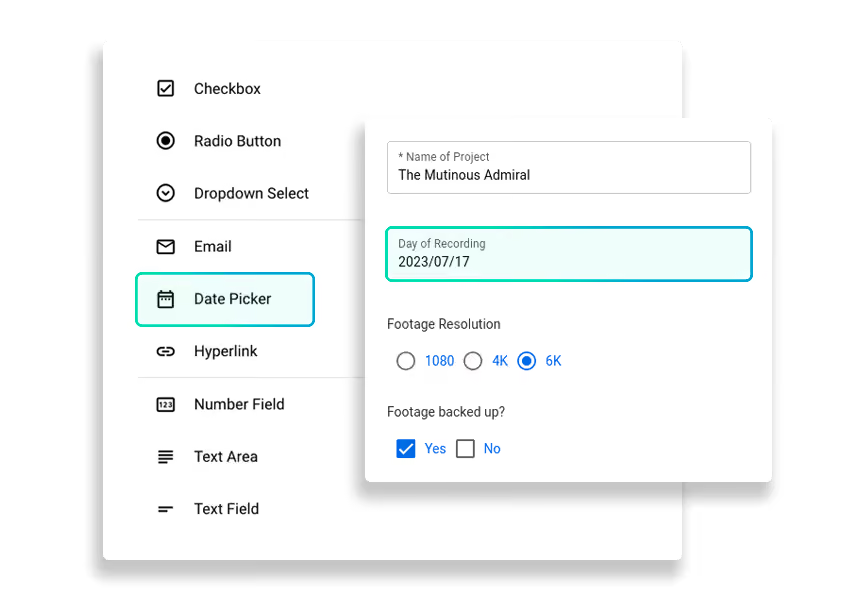

Be (Very) Specific

Sync Your Workflow

Be the Ultimate Collector


.svg)
.svg)


File Delivery With Context – Not Just Content

Coordinating media and big data assets can be frustrating.
Keeping track of all your contributors and their files can make you want to pull your hair out. You shouldn’t have to cross-reference assets across email, Slack, and cloud storage invites, and figure out which file belongs to which sender, for which project, etc.
That’s where MASV’s Custom Metadata Forms can be a huge time saver when collecting content from multiple contributors.

MASV Portals: Effortless content collection from a convenient location
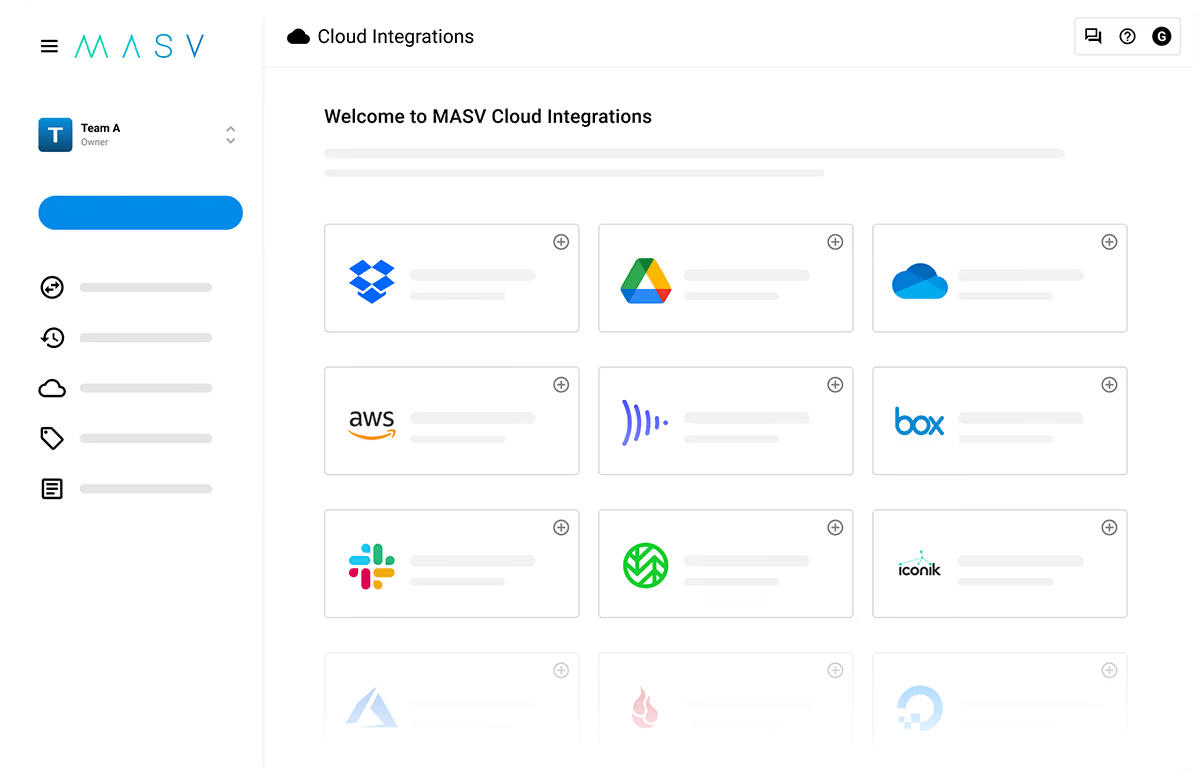
Automate Metadata Collection
Don't just collect data – put it to work in your downstream processes. Connect Custom Metadata Forms to MASV's powerful automation tools to instantly route incoming files and structured metadata directly to specific directories in storage.
Custom Forms can also be used to maintain full control over inbound data: Portal owners can enforce upload rules around terms of service/upload guidelines, max package size, file types, naming conventions, and Portal expiry dates.
How to Create a Custom Form

1. Create Portal

2. Create New Custom Form

3. Configure Your Form

4. Save & Share
Why Customers Love MASV



Frequently Asked Questions
Custom Metadata Forms allow you to modify the fields on a MASV Portal to capture additional, specific information alongside the large files you receive. This helps you avoid cross-referencing assets across emails and Slack messages by ensuring contributors provide the exact project context you need at the time of upload.
You can customize your forms with a variety of field types to collect exactly what you need. Options include:
- Text fields
- Calendar dates
- Multiple choice options such as checkboxes, dropdown menus, and radio buttons
- Data fields can also be set as mandatory or optional depending on your requirements.
MASV offers flexible data types for your collected metadata. You can choose to save and deliver the metadata information as JSON, CSV, or XML files.
No, there is no additional cost. You can create as many MASV Portals and Custom Forms as you need at no extra charge.
You can seamlessly sync your workflow by automatically saving the received files and their corresponding metadata to your preferred destination. MASV allows you to:
- Route files and metadata directly into media asset managers like iconik or MediaSilo.
- Attach a cloud integration to your Portal so assets automatically appear in cloud storage solutions like Amazon S3 or Frame.io.



