
Unbeatable Speed and Performance With MASV Studio



Get it Done Faster

Streamline Workflows

Hit the Ground Running


.svg)
.svg)


The Perfect Tool for High-Volume File Transfer

Build Resiliency

Retain Control

Accelerate From Anywhere

Automate Without Coding

Accelerate Transfers

Maintain File Integrity

Manage Performance

Experience Intuitive Transfer

Build Watch Folders
MASV Studio: Unique Features
10 Gbps+ Optimization
No-Code Automation
Multiconnect Channel Bonding
Express Delivery
Bandwidth Controls and Scheduling
Network Presets
Memory Caching
Why Customers Love MASV



Frequently Asked Questions
MASV Studio for desktop is a high-performance file transfer platform designed to share large files faster than a web browser, with greater performance and stability. MASV Studio can be used to share petabytes of data and perform automated file transfers without any development effort.
MASV Studio contains the following features:
- A clean, minimalist interface
- Client-side acceleration for uploads and downloads
- Automatic transfer resumptions in case of network interruption
- Ability to limit bandwidth usage with Speed Limits
- Watch Folder automations
- Express capability, allowing for concurrent downloads as content is uploading
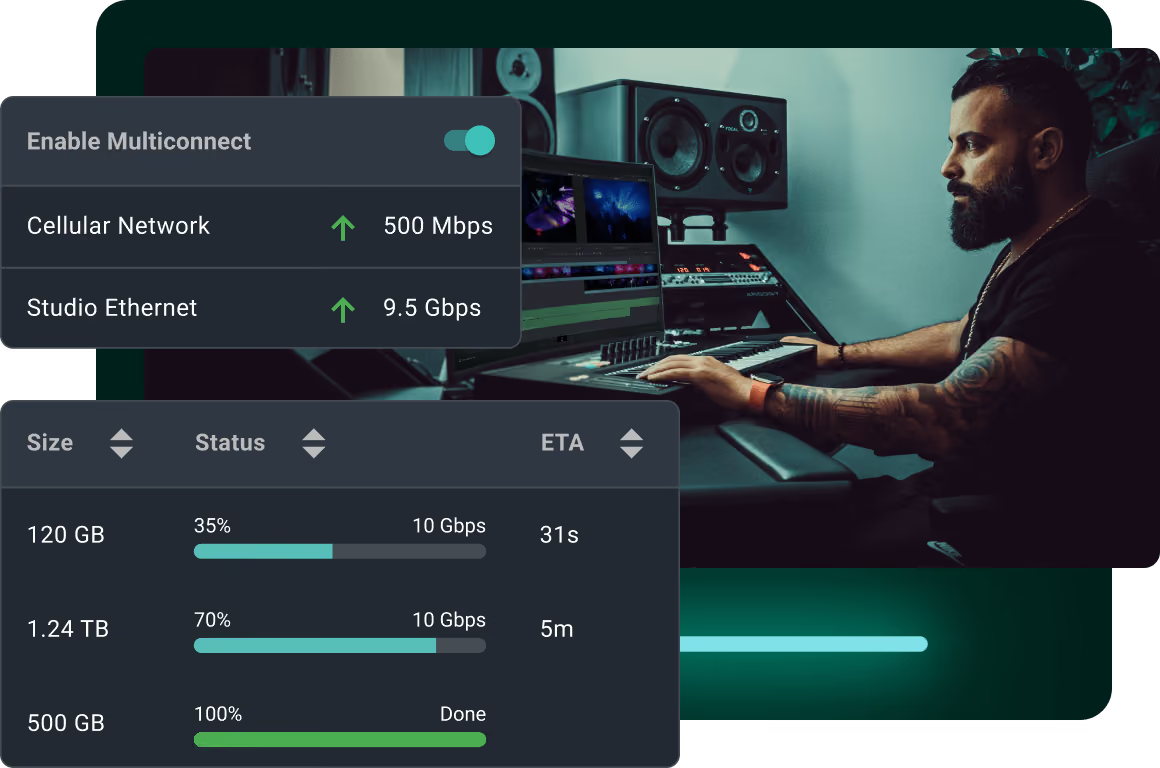
- Multiconnect internet bonding for greater performance
- Support for 10-gigabit internet
- An itemized log of transfers
- Drag-and-drop upload
- Pause & resume transfers
- Ability to set Transfer Priority
MASV Studio is very easy to use. Simply drag and drop files onto the main app homepage to upload files. From there, the true power of the MASV comes into play.
All transfers moving through MASV Studio travel across a private cloud highway at max speed. Since MASV Studio is not bound by the limitations of a web browser, it is more efficient and reliable.
Transfer data is stored in the cloud during transit. If there’s a network outage, MASV Studio will recover once a connection is detected and resume the transfer without any loss in data.
MASV Studio leverages MASV’s proprietary cloud-acceleration technology to ease congestion and be fair to others on a shared network.
Additionally, MASV Studio comes with a ton of exclusive features to help make large file transfers more manageable, such as:
- Multiconnect internet bonding
- Support for 10-gigabit internet
- Assign a priority status
- Add Speed Limits to control bandwidth usage
- Watch Folder automations
MASV Studio has several transfer control features that keep users in charge of the performance of their transfers at all times:
- Transfer Priority allows users to easily send rush deliveries without the asset having to wait in a transfer queue. Without Transfer Priority, power users must manually turn off all other ongoing transfers to allow the rush delivery to reach its destination on time. While not a mandatory tool, users who need to can assign a priority status of highest, high, default, low, or lowest to all transfers. It’s important to note that the Transfer Priority tool does not stop other transfers in progress; rather, it redistributes bandwidth to the highest priority transfers.
- Speed Limits are another control feature that allow users to limit the bandwidth MASV uses based on the day or the week or time of day. This tool is most valuable if you share a network with others and don’t want to hog all bandwidth, or if you need to cut down on network provider fees. Speed Limits allow users to set separate max speeds for uploads and downloads, along with specifying which days of the week and times of day those limits should apply (a common use case is to reduce bandwidth during the day, when others are on the network, and remove Speed Limits overnight).
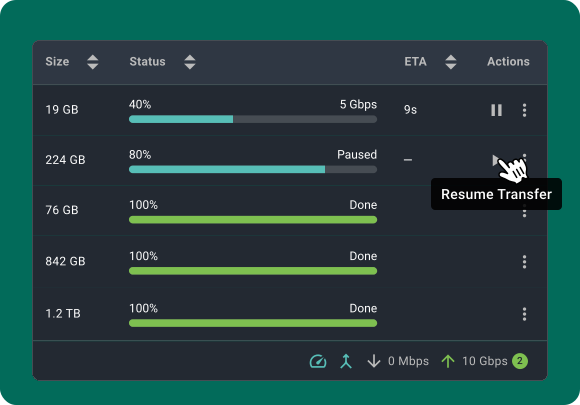
- Pause and Resume functionality allows users to manually pause and resume file transfers with a click. If you’ve got multiple transfers going, pausing a transfer will automatically redirect bandwidth to other files in progress. Or you can use Pause and Resume if you need more bandwidth for another application, such as video conferencing.
- Download MASV Studio on either macOS, Windows, or Linux.
- Follow the download instructions on your computer.
- Create a MASV account or sign-in if you already have an account.
- To upload, drag-and-drop files and folders onto the main app homepage or press the ‘Send’ button.
- To download, press the ‘Receive’ button and paste the download link or select ‘Open MASV Studio’ when downloading from a web browser.
MASV Studio is available for macOS, Windows, and Linux.
If you send or receive a file through through MASV Studio, it will appear under ‘Transfer History’ on MASV Admin Console.
If you send/receive a file exclusively through the browser, it will not appear on MASV Studio transfer dashboard. This is done on purpose to de-clutter MASV Studio's dashboard.
There is no charge to download and use MASV Studio. Users are charged for downloads and uploads to cloud storage, unless you’re using your free data credits per month.
MASV’s pricing options include pay-as-you-go and custom plans.



